
Introduction
The database connection is the foundation of every Financial Reporting (FR) report you build in Oracle Fusion. Name it wrong and you will regret it the first time you clone an environment.
I have seen this on more implementations than I can count. The team sets up the connection, names it “DEV” or “PROD,” and moves on. Then they clone the instance for testing. Now the connection named “DEV” and you think it matters where it is pointing, but it doesn’t. (Side note: When you create deep links in OTBI, they will always point to where they are created, so note that when cloning OR do this:
Instead of hardcoding the full hostname, you can use a relative path. The standard Oracle documentation tells you to build your URL like:
https ://yourenvironmentpath/fscmUI/faces/deeplink?objType=@{1}&action=@{2}&objKey=@{3}=@{4}
The workaround is to drop the hostname entirely and use:
../../../../fscmUI/faces/deeplink?objType=@{1}&action=@{2}&objKey=@{3}=@{4})
At any rate, your CB connection is not pointing at DEV or PROD, it points to the cube in the instance you are in. Reports break. Trust in the reporting environment disappears.
The fix costs you ten seconds during setup. The cleanup costs you days.
What Is an FR Database Connection — And Why Does It Exist?
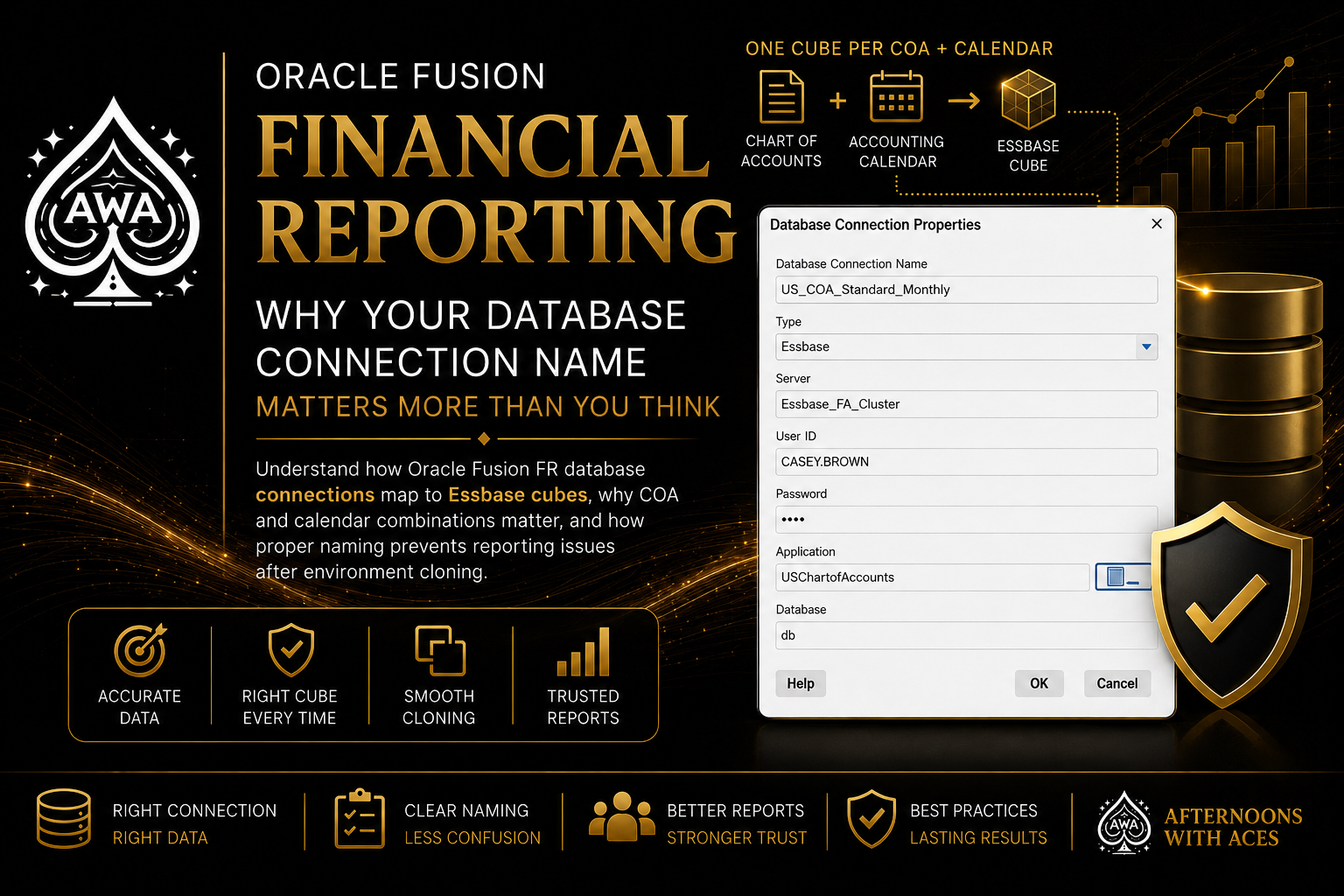
Oracle Fusion General Ledger stores financial balances in Essbase cubes. Financial Reporting reads directly from those cubes. The database connection is the bridge — it tells FR Studio and Workspace exactly which Essbase cube to query.
Here is the critical design fact that most teams miss:
A separate cube is created for each combination of chart of accounts and accounting calendar.
Read that again. Not one cube per environment. One cube per combination of Chart of Accounts and Accounting Calendar. That means if you have multiple ledger setups — multiple COAs, multiple calendars — you have multiple cubes. And each cube needs its own database connection.
This is not a technical footnote. It is the core of how FR reporting is structured in Fusion. If you do not understand it, you will build connections that point at the wrong cube without knowing it.
How to Create the Database Connection
You must create database connections so you can access the cubes from Workspace and Financial Reporting Web Studio. Ledger setup has to be completed before the database connection can be created.
Do not create the connection before ledger setup is done. You will not see the right cubes to select.
Here are the steps, straight from Oracle:
- Navigate to Financial Reporting Center from the Navigator menu
- In the Tasks panel, select Open Workspace for Financial Reports
- In Workspace, go to Navigate > Applications > BI Catalog
- From the Tools menu, select Database Connection Manager
- Click New
- Enter a user-friendly name for the database connection — this is the step that matters most
- Set Type to Essbase, then enter your server, username, and password
- Select the Application (cube) and Database from the list of values — expand the Application name to find the related database (typically listed as “db”)
- Click OK twice to save
- Click Close to save the connection
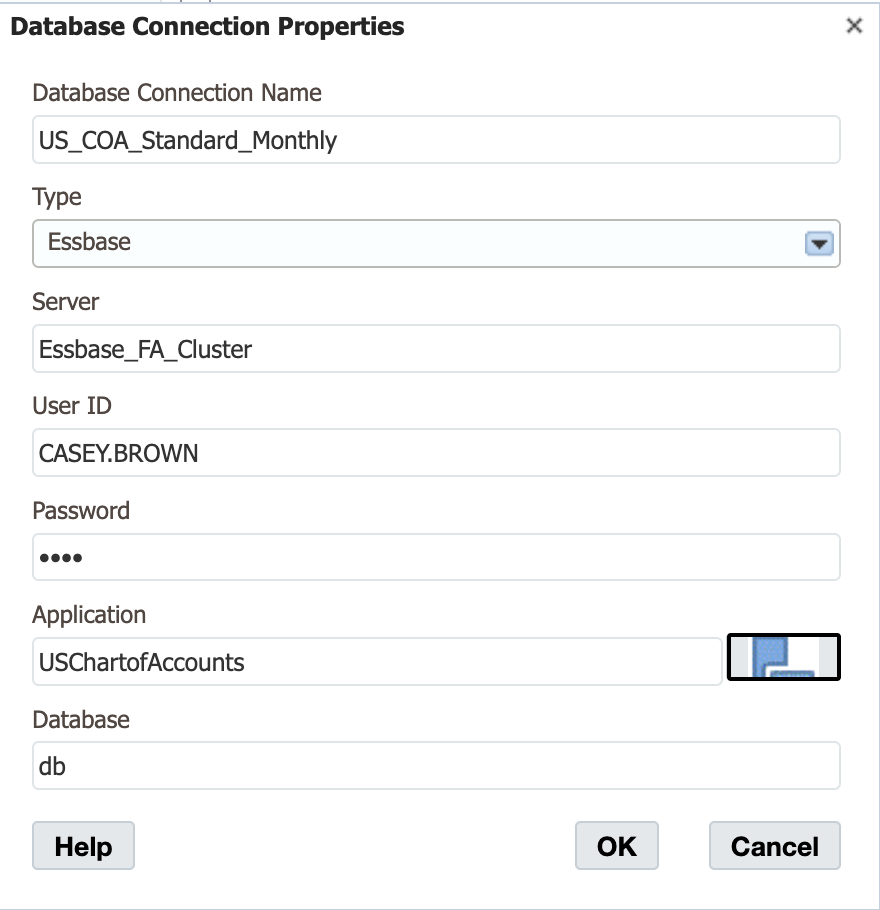
The database connection is available in both Workspace and Financial Reporting Web Studio. Optionally, it can be set up in Financial Reporting Web Studio when putting grids on a report. This should only be done by an administrator.
One more thing — you do this once per cube. Not once per report, not once per user. One connection per cube, managed centrally in Workspace.
The Two Things That Make Every Connection Unique
There are exactly two configuration elements that differentiate one database connection from another in Oracle Fusion FR. Everything else is infrastructure. These two things define what the connection is.
1. Chart of Accounts (COA)
The Essbase cube is built on the COA segment structure. Different ledgers with different COAs live in different cubes. A connection pointed at the wrong COA means your segments, your dimensions, and your report rows will not match what you expect. The report may run — it will just pull the wrong data.
This is how teams build beautiful reports in one environment and then wonder why the same report returns garbage in another. The connection is referencing a different COA cube and nobody caught it.
Calendar is the second axis that defines the cube. A 4-4-5 calendar and a standard monthly calendar are not interchangeable. Different period structures, different member names in the Time dimension. If your report is built against a cube with the wrong calendar, period-based formulas break. Month-to-date and year-to-date rows return errors or nothing.
2. Accounting Calendar
These two elements — COA and Calendar — are what Oracle uses to create a unique cube. A separate cube is created for each combination of chart of accounts and accounting calendar. Your database connection name should reflect both.
Stop Naming Connections After the Environment
“DEV.” “PROD.” “TEST.” These names describe where the connection lives, not what it connects to.
Here is why this fails: You change the database connection when moving from a development environment server to a production environment server. When you clone an instance, you will need to update connections. If every connection is named after the environment, you cannot tell which cube it references without opening each one.
Name the connection after what it is, not where it lives. A connection for the US ledger running the Standard COA with a monthly calendar should look something like:
US_StandardCOA_MonthlyCalendar
Or if you have a client with a named COA and a specific fiscal period structure:
XXX_USCOA_FY52WeekCal
Now when you clone the environment and someone asks “which connection goes with which ledger,” the answer is in the name. No guessing. No opening each connection to check.
And when you migrate from development to production — which you will do — you are changing the server and credentials, not rethinking which connection maps to which ledger. The connection name is stable. The server pointer is what changes.
DO / DON’T
DO
- Complete ledger setup before creating any database connections
- Name connections after the COA and Calendar combination they reference
- Create one connection per unique COA/Calendar cube
- Use consistent naming across environments — the name stays the same, only the server changes
- Let only administrators create and manage database connections
DON’T
- Name connections after the environment (DEV, PROD, TEST, STAGE)
- Create connections before ledger setup is complete — the cubes will not exist yet
- Let report developers set up connections on the fly in FR Studio without administrator oversight
- Assume one connection covers all ledgers — it does not
What Happens If You Get This Wrong
Wrong connection name costs you confusion. Wrong connection target costs you data integrity.
If a report grid is pointed at the wrong cube — because the connection name was ambiguous after an instance clone — users are looking at the wrong balances. Maybe it’s a different entity. Maybe it’s a different period structure. They may not notice until the numbers fail to reconcile.
That is an audit problem. That is a period close problem. That is a “who signed off on this report” problem.
This is Oracle Fusion Financials reporting at its most foundational level. Get the connection right. Get the name right. Everything built on top of it — balance sheets, income statements, management reports, consolidation packages — depends on this one configuration step being done correctly.
The connection is not glamorous. Neither is the foundation of a building. That does not mean you skip it.
Related Oracle Topic Hubs
- Oracle Fusion Financials
- Reporting & Analytics
- Chart of Accounts Design
- Oracle Fusion Implementation Strategy
About Afternoons With ACEs
Afternoons With ACEs provides practical Oracle Fusion implementation expertise from Oracle ACE Professionals Lee Briggs and Thomas Simkiss.
Sessions focus on:
- enterprise ERP best practices
- Oracle Fusion implementation strategy
- reporting and analytics
- SmartView
- OTBI
- testing and governance